
From market to tray
The same reception feeds the stock, the cost of the meal, the food credit and the EGAlim figures, so nothing is keyed in twice.

Catering for collèges and lycées,
from the market to the tray
Allegro in video
The same reception feeds the stock, the cost of the meal, the food credit and the EGAlim figures, so nothing is keyed in twice.
Track your markets and attach your items to them. Track your off-market items. Choose the valuation method.
Orders, receptions, stock entries and stock issues are traced. When something is corrected nothing is erased, everything is traced: who, when and why.
Stock issues are attached to the dish that consumed them so that each service has its own cost per meal. Work out your food credit with ease.
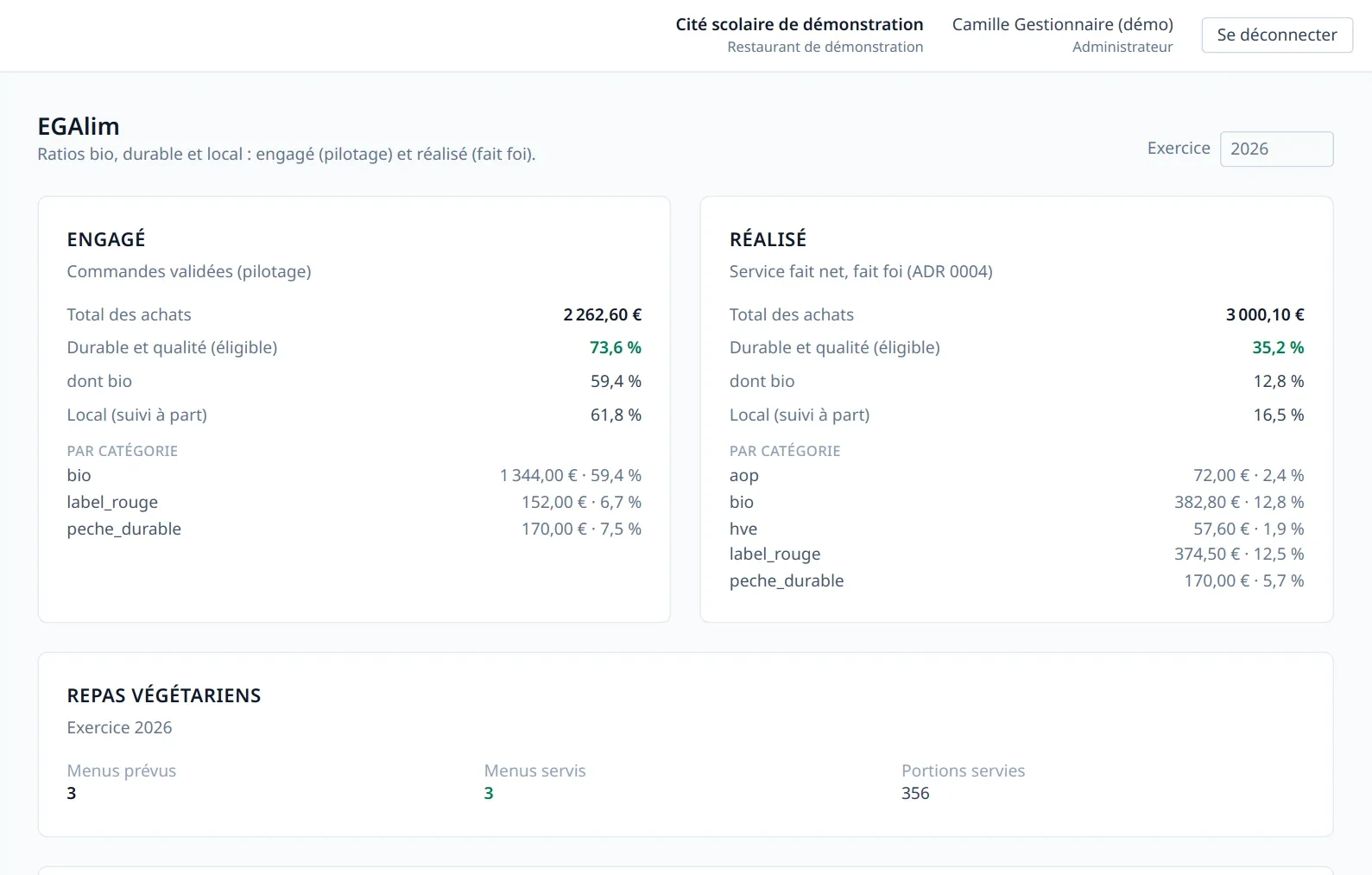
The organic, sustainable and local shares are read from the labels of the items bought, then shown as committed to steer and as net service rendered to declare.
The storekeeper, the head chef and the catering manager each have a profile suited to their work. They share at once the information that concerns them.
At 6:10 the storekeeper unpacks a delivery and counts four boxes of yoghurt where the delivery note announces six. One click, a scan of the product code, and the quantity actually delivered is entered in Allegro; what remains to be delivered is taken into account.
At 10 the roast has not arrived and the chef changes the dish. The change is entered in menu management, and the families who read the menu through their private link see why it is no longer the one announced.
When the school's general secretary wants to know what has been committed up to October, a complete dashboard is there. It is where next year's catering and boarding budget is prepared, and where the presentation for the board of governors and the calculation table for the authorities are generated.
Every lot keeps its origin
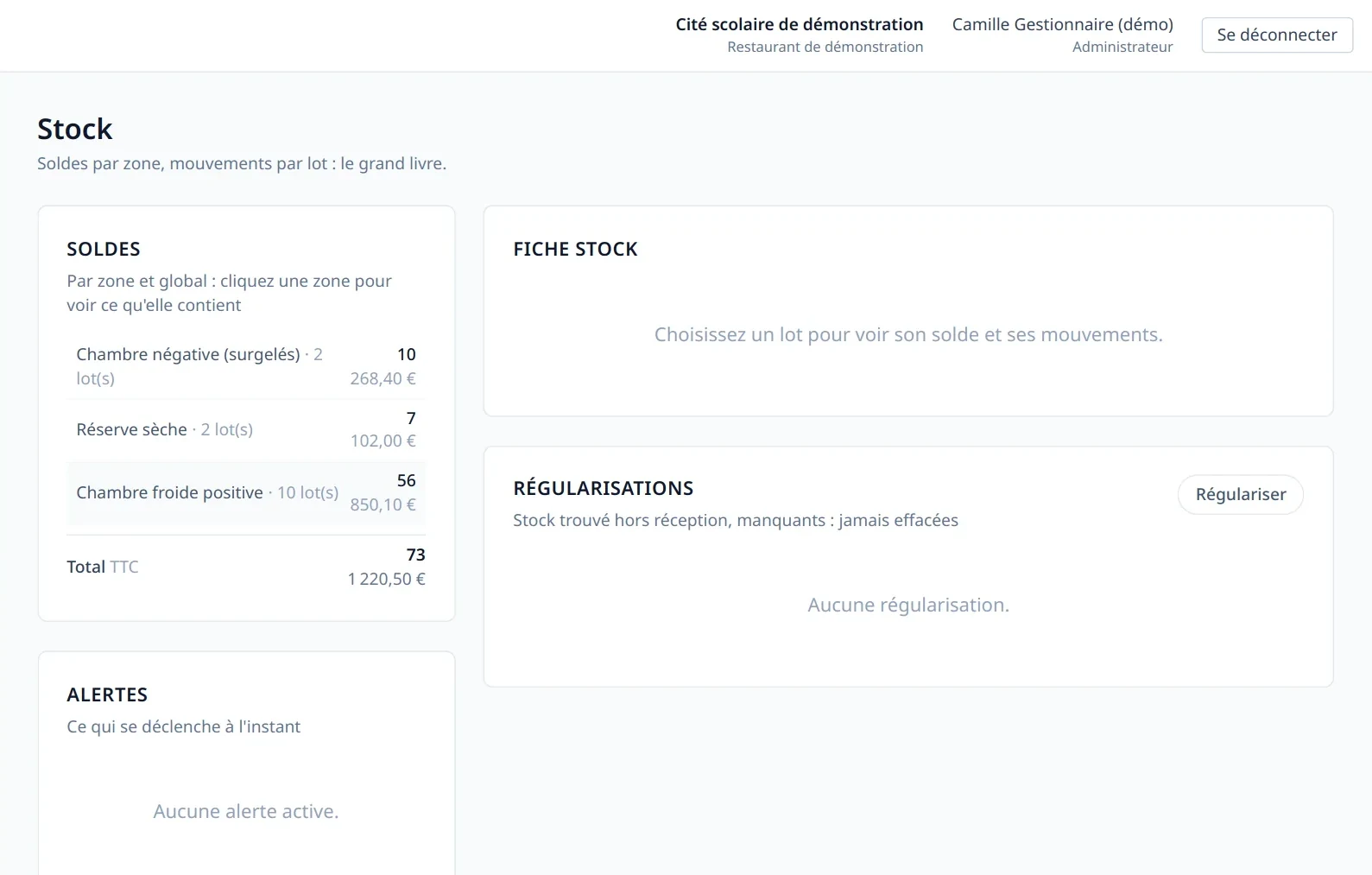
The delivery note is the point of entry: once validated, it splits into receptions by supplier and storage family. Does everything match the order? One validation covers it all. Are items missing? They are entered in the form. Once the reception is validated the lots are created, each with its origin, its use-by date and its entry value. A recalled or blocked lot cannot be issued.
From the planned menu to the served one
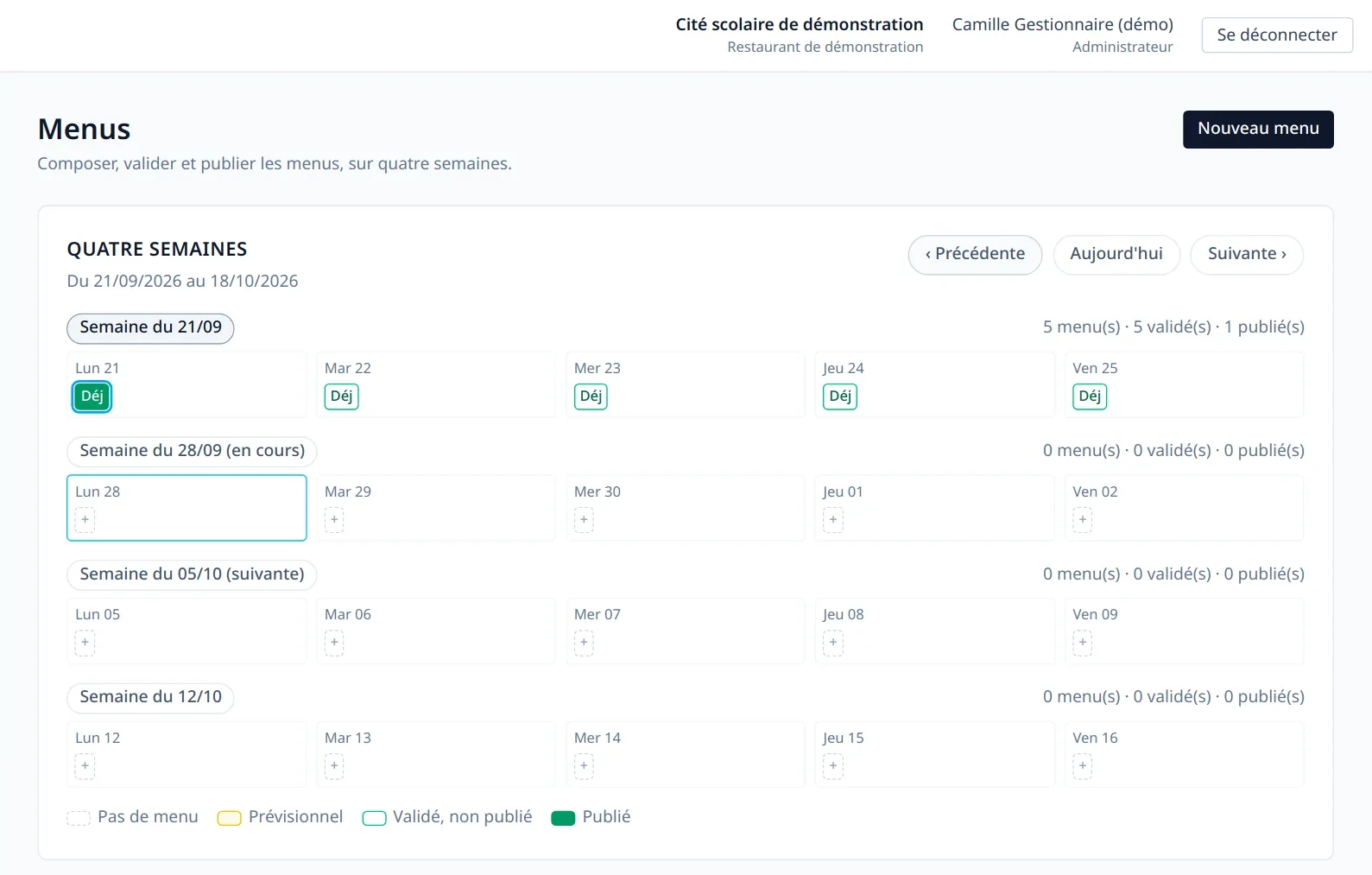
Menus are composed over four weeks, with allergens, origins and labels such as organic or local. The vegetarian meal is marked as such. Validated menus are published to families. Once served, the menu becomes a recorded service: headcounts planned, prepared and served, portions per dish, and the stock issues that go with them. If you use Cantoche, the number of meals is imported to work out the cost per meal.
Work out your costs, track your budget
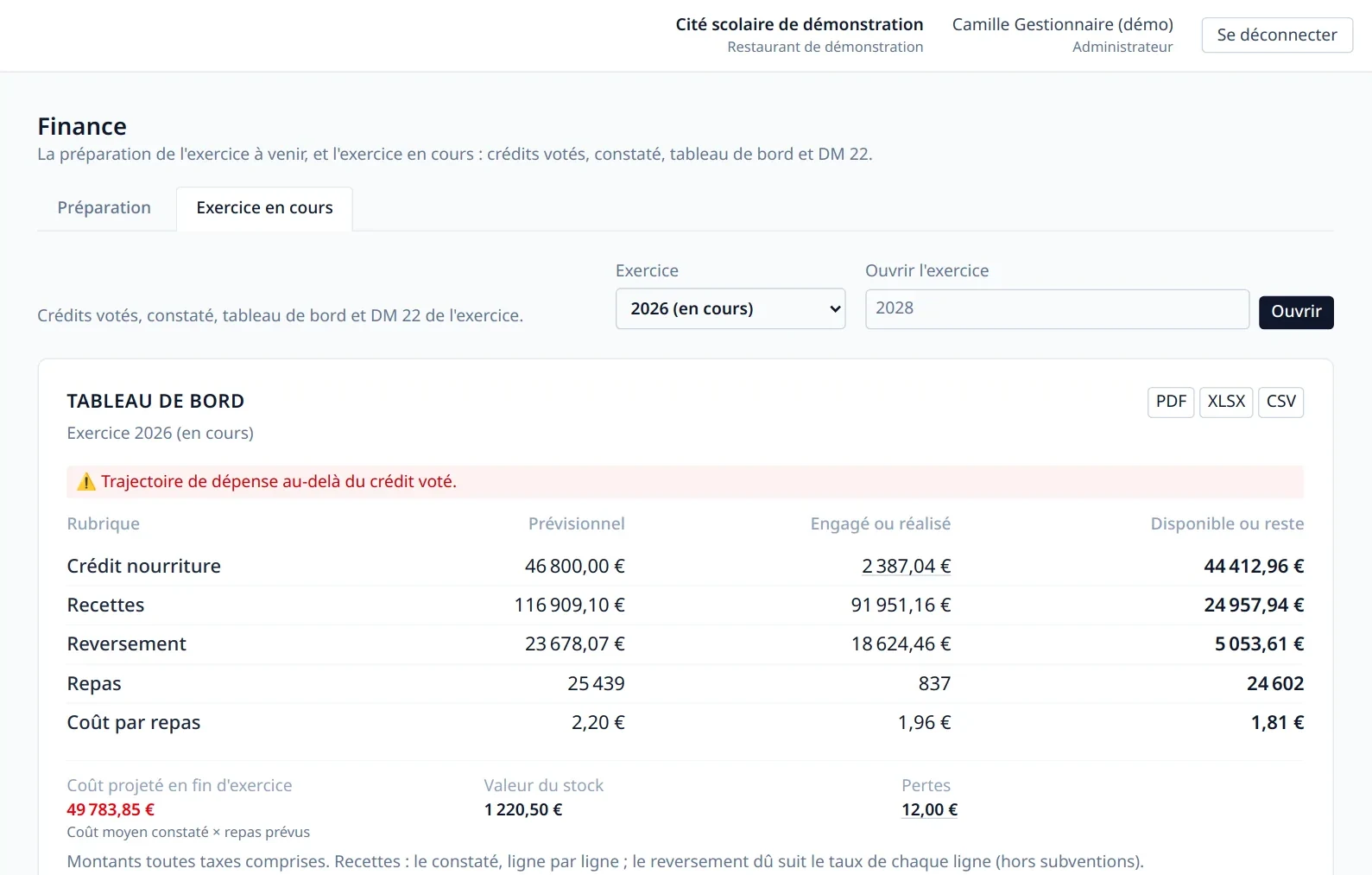
The voted credit, the amounts committed and what remains available sit on one dashboard. The average cost per meal is shown next to its target and the spending projected at year end, so the manager follows the catering budget before the lines turn red. Revenue, from flat-rate plans, is recorded line by line. Subsidies outside the food credit can be included. Every table exports to PDF, Excel and CSV. Generate the slides for the board of governors directly.
Steer throughout the year, report to the local authority and the board
The EGAlim law requires school catering to buy at least 50% sustainable and quality products, including 20% organic, and to declare its purchases every year on the Ministry of Agriculture's ma cantine platform. Allegro reads each item's qualification from its labels and gives two readings: what is committed, to steer the purchases during the year, and the net service rendered, to declare. A return to the supplier is deducted; breakage is not.
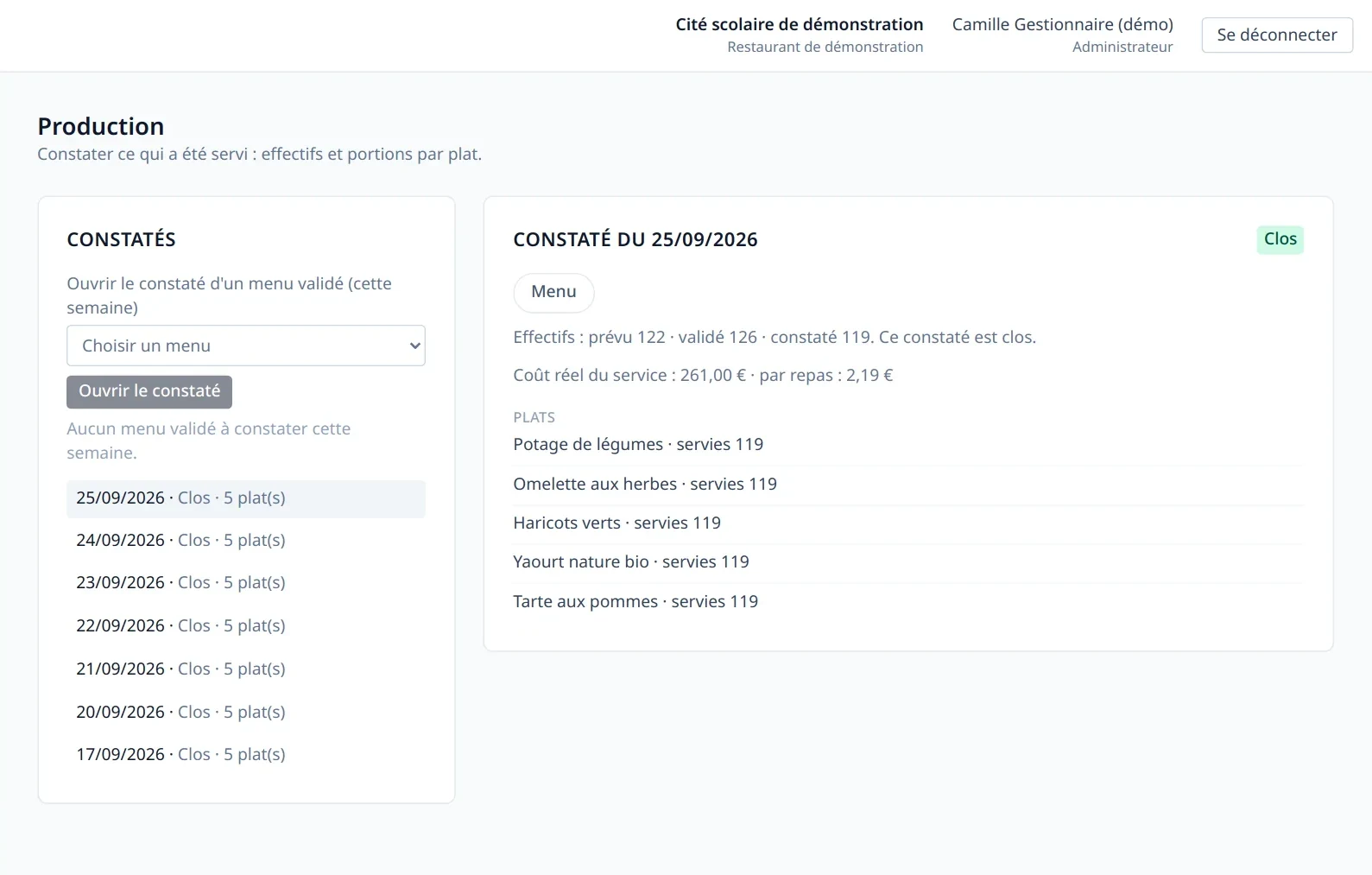
Track the cost of your meals and compare it with the target price you set. See the reference prices of seasonal produce published by ADEME and the Ministry of Agriculture.
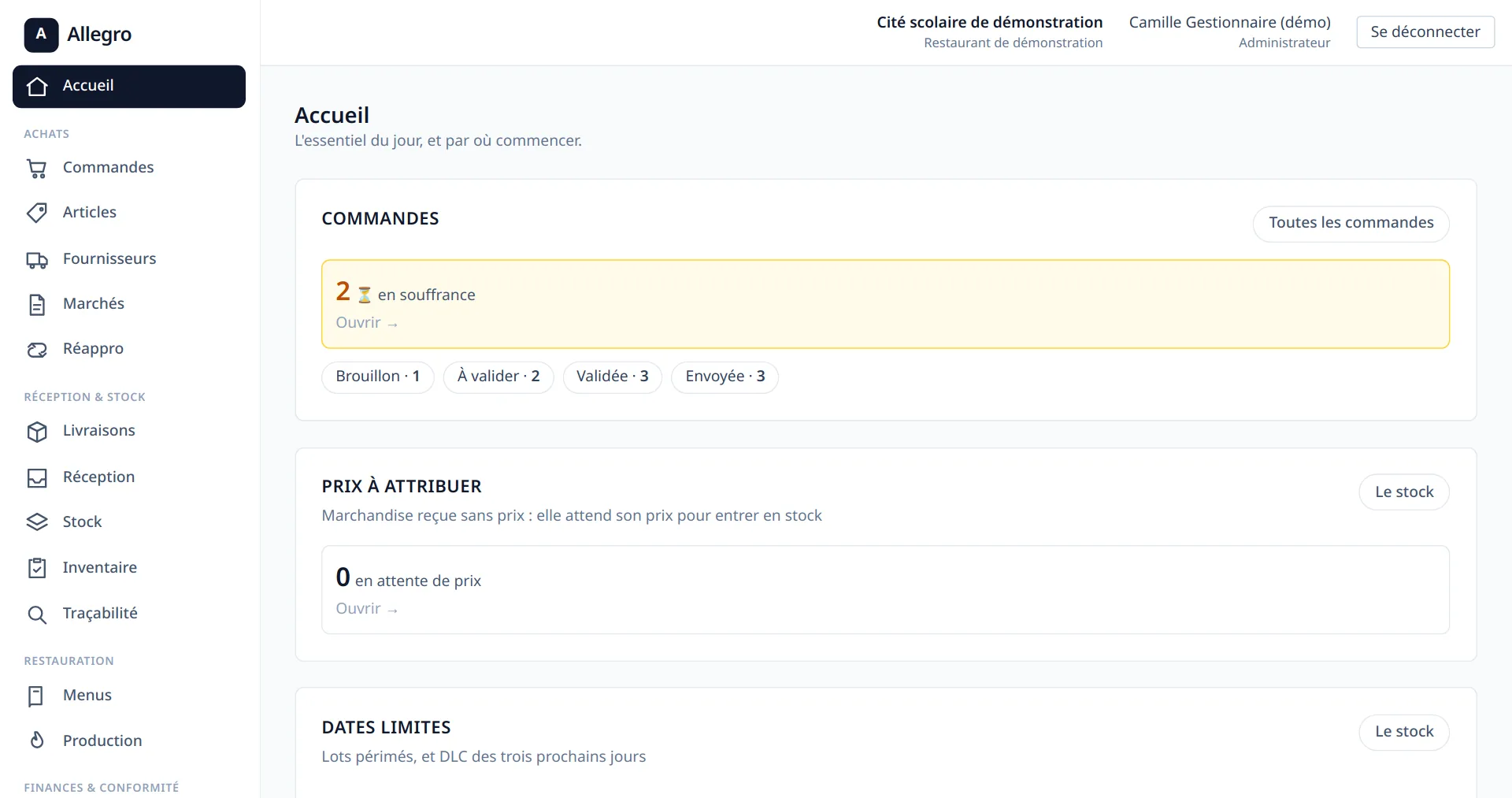
If a lot came in without a price, the cost of the dish is not computed at zero: it is missing, and the home screen asks you for it.
How your catering service runs, in six steps
Markets, lots and holders with their prices and their suppliers.
Prepare your order from the items in your markets. You are alerted when an order is slow to arrive. Scan a product to put it back on order.
Receive against your order, and scan the lot code with your phone to complete the delivery record. Track outstanding items and refused deliveries.
Track your product lots with their use-by dates. Manage the storage zones and take inventories by scanning the products. Get an alert when a stock runs low.
Enter the menu, and click the allergens and labels to display them. Keep families informed simply, on the school's website and through a dedicated page. Share a photo of the dish of the day or of a typical tray.
Track the food credit and the cost per meal and per school. Produce the EGAlim returns. If you wish, your local authority gets a dashboard suited to the schools that report to it. Prepare the calculation of your catering service budget (SRH) for the next budget, and generate the presentation for the board of governors.
Allegro was designed from the start for public secondary schools (EPLE). Regulatory constraints, budget rules and the trade's own processes are at the heart of its design. It is not one more private-sector tool loosely adapted: it is built for you. Whether you are a collège, a cité scolaire or a local authority equipping its schools, Allegro meets your needs. Everyone in their role, everyone with their rights.
Allegro shares with the local authority only the aggregated data it needs to follow its objectives. When the school is the client, the school decides what is shared.
No. Families read the menus of the current and the following week through a private link, which the school can reset at any time, or on the school's own website, where the menu can be embedded. A dish that changes is shown as replaced, with its reason.
That is the cité scolaire case: one restaurant, a managing school that carries the budget, and the schools whose pupils eat there.
Barcodes and QR codes are scanned with the camera of a phone, a tablet or a computer, with no dedicated hardware. For bulk goods without a manufacturer's code, Allegro prints an A4 sheet of QR codes, generated locally at the moment of printing.
The manager, the head chef and the storekeeper each have their own rights, and every step of an order requires its own permission. A validation can be delegated, and the delegation is recorded.
Want a quote or to schedule a meeting? Get in touch!